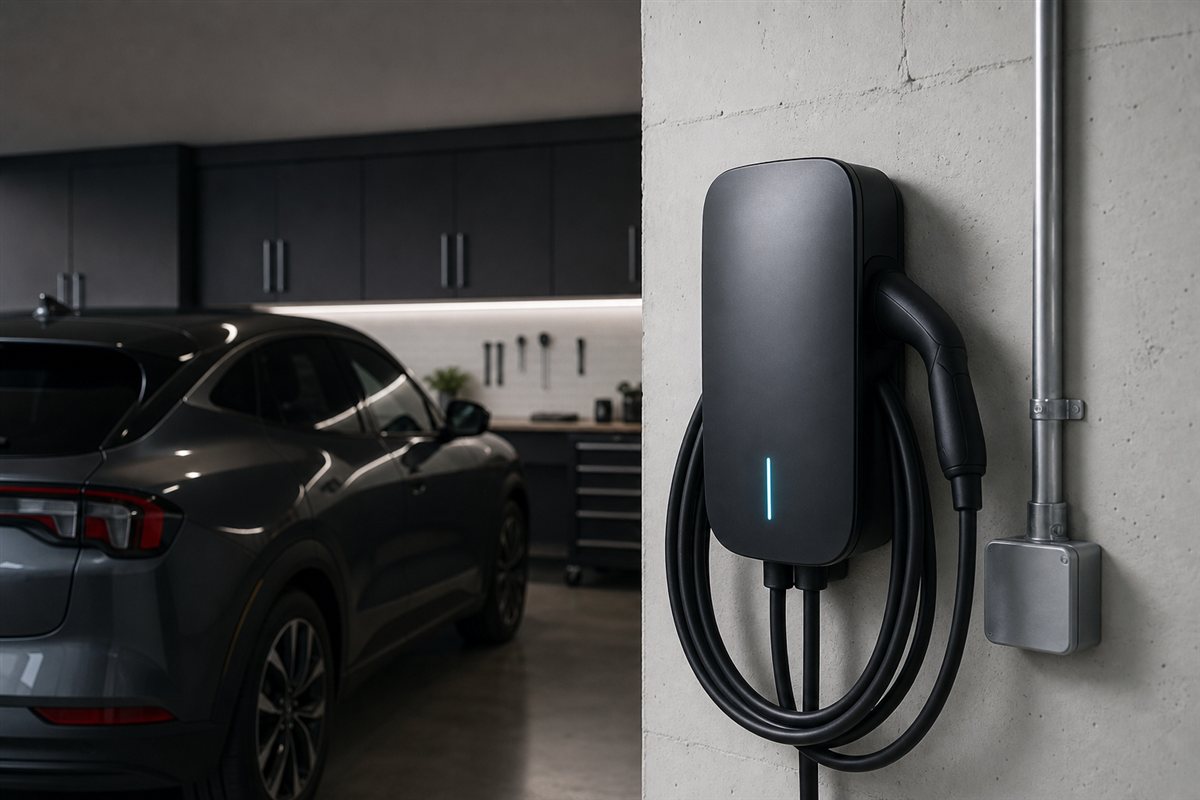
Quick Specs
| Spec | Detail |
|---|---|
| Amperage | App-adjustable: 16 / 24 / 32 / 40 / 48 / 50A |
| Max Power | 12 kW (hardwired) |
| Connector | J1772 or native NACS (Tesla) |
| Install Options | Hardwired, NEMA 14-50 or 6-50 plug |
| Cable Length | 23 ft |
| Smart Home | Alexa, Google Home; Wi-Fi app control |
| Certifications | ENERGY STAR, UL Listed, NEMA 3R outdoor |
| Warranty | 3 years |
| Price | ~$549–$639 MSRP (street ~$539+) |
What This Review Is Based On
I work power plant maintenance and operations with an electrical apprenticeship background, and I drive a Tesla. This review is built on the Home Flex’s published specs and install requirements (checked against actual code requirements for EV charging circuits), several years of owner reports across Tesla and EV forums, and my own experience living with home Level 2 charging. No invented lab tests — just what the hardware does and what it takes to install it right.
Tesla Owners: Get the NACS Version (Here’s Why)
The biggest change since our original review: the Home Flex now comes with a native NACS cable — the Tesla plug. That means no J1772 adapter dangling off the end of the cable, no adapter to lose, and nothing extra to buy. If your garage is Tesla-only and stays that way, the NACS plug-in model (NEMA 6-50) or the hardwired NACS version is the one to buy.
If there’s any chance a non-Tesla EV joins the household — or you’re buying for resale flexibility — the classic J1772 version (NEMA 14-50) still charges every EV sold in the US, including your Tesla through the adapter that came with the car. Either way you get the same 16–50A guts, the same app, the same warranty.
Check J1772 Home Flex on AmazonNEMA 14-50 plug-in — every US EV, Tesla via the included adapterReal Charging Speeds for a Model 3 / Model Y
Charging speed is set by the lowest number in the chain: the charger’s amperage setting, your circuit, and your car’s onboard charger. Long Range and Performance Teslas accept up to 48A on AC (~11.5 kW); base RWD trims accept roughly 32A. Here’s what that means in real terms:
| Home Flex Setting | Circuit Required | Approx. Range Added / Hour* |
|---|---|---|
| 16A | 20A breaker | ~11 miles |
| 24A | 30A breaker | ~16 miles |
| 32A | 40A breaker | ~22 miles |
| 40A (plug-in max) | 50A breaker | ~28 miles |
| 48A (hardwired) | 60A breaker | ~35–37 miles |
*Model 3/Y estimates; actual rates vary by trim, temperature, and state of charge.
One honest note the spec sheet won’t tell you: the headline 50A setting matters for almost nobody. Every current Tesla tops out at 48A on AC, and so do most other EVs. What actually matters is the adjustability in the other direction — more on that below. And even a “slow” 32A setup adds 200+ miles overnight, which covers nearly anyone’s commute. Curious what those kilowatt-hours cost? Our Tesla home charging cost guide has a calculator.
Best For: Homes With Limited Panel Capacity
This is the Home Flex’s killer feature, and it’s the one I’d highlight as an electrical guy. Lots of houses — especially older ones with 100A service — can’t safely add a 60A charging circuit. The Home Flex dials down to 16, 24, or 32A in the app, so your electrician can land it on whatever your panel can legitimately support, and you can dial it up later if you upgrade your service. Cheaper chargers lock you into one amperage at install time. This flexibility can be the difference between a simple afternoon install and a $2,000+ panel upgrade.
Best For: Households Adding a Second EV
The J1772 version plus Tesla’s included adapter covers a mixed Tesla + non-Tesla garage today, and the 16–50A range means the same unit adapts when car number two shows up. If you’re already deep in the ChargePoint ecosystem from work or public charging, home sessions land in the same app with the same cost tracking — one history for every kWh you buy.
Best For: Outdoor Installs
NEMA 3R rated, ENERGY STAR certified, and rated for operation well below freezing, the Home Flex is a legitimate outdoor unit — driveway posts, carports, exterior walls. The 23-foot cable is long enough to reach a second parking spot, which is more useful than it sounds. The one thing missing outdoors (and indoors) is built-in cable management; budget $15 for a simple hook.
Living With the ChargePoint App
The app is where the Home Flex separates itself from cheaper smart chargers. Scheduling is the headline: if your utility offers time-of-use rates, you set your off-peak window once and the charger waits for cheap electricity automatically — plug in at 6 pm, charging starts at 11 pm, done by morning. Over a year, off-peak-only charging can save a Model Y driver hundreds of dollars versus charging on a flat afternoon rate; run your own numbers in our charging cost calculator.
Beyond scheduling you get plug-in reminders (it nags you if you forget to plug in by your usual time — more useful than it sounds), live charging status, session history with per-session cost, and a full kWh export that makes mileage and energy logging at tax time painless. Alexa and Google Home support is real but thin — start/stop and status by voice. The account requirement is annoying in principle, but in practice it’s the same login that runs ChargePoint’s public network, so road-trip and home charging share one history.
Setup: From Box to First Charge
Once the circuit exists, setup is genuinely quick. The bracket mounts with four lag bolts; the unit clicks onto it and locks. Pairing happens in the app over Bluetooth, then the charger joins your home Wi-Fi — assign it to a 2.4 GHz network if your mesh router lets you, as 2.4 GHz reaches a garage or driveway wall far more reliably than 5 GHz. The critical step is amperage selection: during activation the app asks what circuit the charger is on, and it will not let you set a charging rate above what you declare. Get this number from your electrician, not from memory. First charge is plug-and-walk-away; the LEDs and the app both confirm the session started.
Installation & the Federal Credit (Now Expired)
Two ways to install it: plug-in (NEMA 14-50 or 6-50 outlet — capped at 40A charging, but you can take the unit when you move) or hardwired (required for 48–50A). Either way, this is a job for a licensed electrician: EV charging is a continuous load, so the circuit must be sized at 125% of the charging amperage — that’s a 60A breaker for 48A charging, not a 50A one. Typical install runs a few hundred dollars near the panel to $1,500+ across the house.
Here’s the update: the federal Section 30C credit — 30% of hardware plus installation, up to $1,000 — expired for chargers placed in service after June 30, 2026. If your Home Flex was installed and operational on or before that date, you can still claim it on IRS Form 8911; it just has to have been in service by the deadline, not merely purchased. Two honest caveats applied: your home had to sit in an eligible census tract (low-income or non-urban — many suburbs didn’t qualify), and the credit is non-refundable, meaning it only offset tax you owed. Details and the state-by-state rebate list are in our EV tax credit guide. If you missed the window, state and utility rebates may still be worth checking — see DSIRE (dsireusa.org) for your ZIP.
How It Compares
| Charger | Price | Max Output | Connector | Smart Features | Warranty | Best For |
|---|---|---|---|---|---|---|
| ChargePoint Home Flex | ~$549–$639 | 50A / 12 kW | J1772 or NACS | App, scheduling, Alexa/Google, utility-rate sync | 3 yr | Most homes — flexibility king |
| Tesla Universal Wall Connector | ~$600 | 48A / 11.5 kW | NACS + built-in J1772 | Tesla app, power sharing | 4 yr | Tesla-first homes wanting OEM |
| Emporia Pro | ~$599 | 48A / 11.5 kW | NACS or J1772 | App + PowerSmart load management | 3 yr | Panels that can’t add capacity |
| Emporia Classic | ~$429 | 48A / 11.5 kW | NACS or J1772 | App, solar-aware charging | 3 yr | Best value smart charger |
| Grizzl-E Classic | ~$400 | 40A / 9.6 kW | J1772 | None (dumb & durable) | 3 yr | Harsh climates, no-app simplicity |
vs. Tesla Universal Wall Connector: the closest call. Tesla’s unit is sleeker, carries a 4-year warranty, and its built-in dual NACS/J1772 handling is genuinely clever. The Home Flex counters with adjustable amperage (Tesla’s is set at install), ENERGY STAR certification, utility-rate-aware scheduling, and a portable plug-in option Tesla doesn’t offer. Pure-Tesla household with a roomy panel? The Wall Connector is excellent. Anything less ideal — tight panel, future second EV, time-of-use rates — the Home Flex wins. Our full home EV charger roundup ranks the whole field.
The Honest Drawbacks
No cable management — at this price a hook should be molded in. The app requires an account, and some advanced features keep drifting toward subscriptions across the industry; core charging and scheduling remain free. Wi-Fi setup is occasionally cranky on mesh networks (assign it a 2.4 GHz network and it behaves). And if you just want maximum amps per dollar with zero smart features, the Grizzl-E undercuts it by $150+ — the Home Flex earns its premium only if you’ll actually use the flexibility and the app.
Who Should Skip It
Three honest exits. If your panel has room for a 60A circuit, your household is Tesla-only for the foreseeable future, and you want the longest warranty, the Tesla Universal Wall Connector is $50 more with a year more coverage and OEM fit-and-finish. If the budget is firm at $450, the Emporia Classic gets you 48A and a competent app for $429. And if you distrust anything with a cloud login — a defensible position for a garage appliance — the Grizzl-E Classic is a sealed aluminum brick that will outlive the car. The Home Flex is for everyone in between, which is most people.
Final Verdict
The Home Flex remains the charger we’d point most people to in 2026, and the native NACS option makes the case stronger for Tesla owners specifically. It’s the rare piece of EV gear that adapts to your situation — panel limits, rate schedules, a future second car — instead of forcing your situation to adapt to it. Buy the NACS version if you’re Tesla-only, the J1772 if you want maximum flexibility, and either way check DSIRE (dsireusa.org) for state or utility rebates now that the $1,000 federal credit expired June 30, 2026.
Check Home Flex on Amazon (NACS, NEMA 6-50 plug)Our affiliate link · Tesla-native plug variantFrequently Asked Questions
Does the ChargePoint Home Flex work with a Tesla?
Yes — two ways. Buy the native NACS version with the Tesla plug built in, or buy the J1772 version and use the adapter that ships with every Tesla. Both deliver the same speed; the NACS version just skips the adapter.
Should I get the plug-in or hardwired version?
Plug-in (NEMA 14-50 or 6-50) caps charging at 40A but moves with you. Hardwired unlocks 48–50A and is cleaner outdoors. For most Tesla drivers the practical difference is ~7 miles of range per hour — if you charge overnight, 40A is plenty.
What breaker size do I need?
125% of the charging amperage, because EV charging is a continuous load: 50A breaker for 40A charging, 60A breaker for 48A. Your electrician will confirm what your panel can support — and the Home Flex can dial down to fit smaller panels.
Is the $1,000 federal charger credit still available?
No — the federal Section 30C credit expired for chargers placed in service after June 30, 2026. If yours was installed and operational on or before that date, you can still claim it on IRS Form 8911. It covered 30% of hardware + install up to $1,000, but your address had to be in an eligible census tract and the credit is non-refundable. State and utility rebates may still apply — check DSIRE (dsireusa.org) for your ZIP.
How fast will it charge a Model Y?
Hardwired at 48A, roughly 35–37 miles of range per hour — a Long Range Model Y goes from 20% to 90% overnight with hours to spare. At the plug-in 40A max, figure ~28 miles per hour of charging.
Do I need a ChargePoint subscription?
No. Charging, scheduling, reminders, and cost tracking are free with the account. There’s no required monthly fee for home use.
Can I take it with me when I move?
The plug-in version, yes — unplug it, unbolt the bracket, done. That portability is a real reason renters and frequent movers pick the plug-in over hardwire despite the 40A cap.
Is the Home Flex worth it over a $400 charger?
If you’ll use the adjustable amperage, scheduling around time-of-use rates, or the ChargePoint app ecosystem — yes, the premium pays for itself in flexibility and lower-rate charging. If you want a dumb, rugged box that just charges at full speed, save the $150 and get the Grizzl-E.
Related: Best Home EV Chargers (2026) · What It Costs to Charge a Tesla at Home · EV Tax Credits & Rebates Guide